63%312 GBfree
Disk Space
Free space on a disk or volume, with a ring for the used share. Click for all disks.
Built in · Comes with PejavaDockWidgets show information right in a dock: time, free disk space, weather and more. They always sit at the end of a dock and fit both horizontal and vertical docks. Click a widget to see details.
Add widgets to a dock: right-click the dock → Add Widget, or Dock Settings → Widgets.
Free space on a disk or volume, with a ring for the used share. Click for all disks.
Built in · Comes with PejavaDockTime and date, for horizontal and vertical docks. Click for a calendar.
Built in · Comes with PejavaDock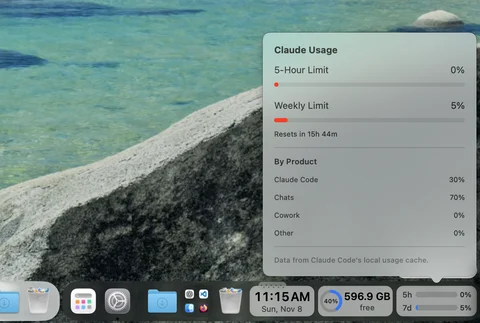
Your Claude Code 5-hour and weekly limits, with the reset time. Click for the breakdown by product.
Built in · Comes with PejavaDockCurrent weather and a 7-day forecast for your city (open-meteo.com, no account needed).
v1.1.0“Install” opens PejavaDock and asks before installing. Or download the .zip and choose Settings → Widgets → Install from File…
A widget is a small web page with a manifest: HTML, CSS and JavaScript, packed into a .zip.